Supporting Enterpise customers to build, troubleshoot and extend the EP platform
EPCC documentation | EPC documentation | Support | Marketplace | Education | Styleguide
Client
Elastic Path
Time
Oct 2019 - 2020
Team
Lead UX Designer: Bonnie Bishop
Developers: Parvez Akkas, Linda Wei, Jake Lin
PM: David Clark
Content: Jennifer Smith, Alann Demeester, Benny Vilet
Brand Consultant: Mauricio Martinez
Elastic Path needs a navigation strategy throughout digital hubs that leads to a cohesive experience which facilitates client self service.
Elastic Path partners, current customers, and potential customers need to access resources on demand via documentation, educational courses and videos or support tickets during production of their or their client sites.
I was the lead UX Designer for Elastic Path, supporting them for the updates and improvements of their documentation sites.
Broken Experiences
Elastic Path Hub resource sites for partners were create to enable partner organizations and direct clients to learn about the product, troubleshoot in production issues and extend the platform. The company originally had a gated site that required login. This support sites for documentation and support resources was sent through the partners account manager with a bespoke list of recommended articles and videos as part of onboarding for the client. These support sites were spread out over multiple unconnected domains and micro-sites. When the documentation site was un-gated in 2019 and customers started using it outside of onboarding there was critical feedback about the navigation, landing page and search. I started the research process and gathered both quantitative and qualitative data needed to discover UX opportunities.
The first step was to look at data we had for the existing public documentation site. We used Hotjar and Google Analytics to unpack current user behaviour on the documentation site.
Heat map analysis of legacy Documentation page to understand engagement levels with navigation buckets and search. High engagement area are red with low engagement blue.
Strategies & Plans
The project updates were then broken into 2 phases, to allow for an evolution of the experiences vs. a revolution to the new sites. This approach was taken to minimize disruption for documentation, and support users and allow for use to study user engagement before implementing the next stage.
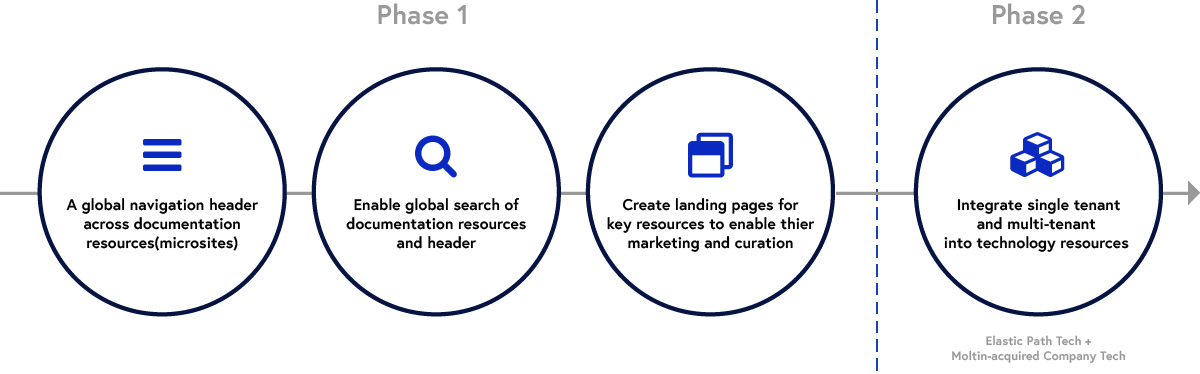
Phase 1, we moved all docs off of legacy Drupal site - this meant to create a new landing page with enhanced features and shifted all docs articles over to Docusaurus system.
UX and Visual Design Improvements
Make search the focus of the landing page and enable global search of all Docusaurus microsites from the landing pages
Add filters in search by Docusaurus repo and version for customers to enable them to quickly find documentation for their specific setup
Surface article collections for first time users as well as those who were extending their systems through cards of landing page
Create universal header to allow customers to access key resources from anywhere in the documentation
Streamline navigation buckets to highlight demo’s and additional resources like Community, Blogs and Marketplace
Update branding to create visual continuity between EP’s Marketing site and companion support sites
Creation of Marketplace to highlight partner integrations
Phase 2 is an ongoing with the latest release introducing documentation and support pages for two product lines Elastic Path Commerce Cloud (formerly Moltin) and Elastic Path Commerce.
Additionally we created a public facing Support site landing page, and are in the process of creating an updated Education site, and central Hub site both of which will support EPC and EPCC product lines.
Methods Used
Data Analytics
Customer and partner surveys
interviews
Empathy maps and personas
Competitive analysis of similar products in Commerce middle ware and API development focused resources Magneto documentation, New Relic.
Brainstorming with team and stakeholders
Wire-framing & Site-mapping.
Prototyping
User testing of prototypes
Stakeholder reviews
Identified the People using Elastic Path by Create and Distribute a Survey with open-end questions about the Elastic Path Clients.
Web-form surveys was created with exploratory questions about Elastic Path customers, who they are, what are their goals, and what challenges are they facing while using Elastic Path.
There were two types of surveys, General Survey and Partner Survey. The both type of surveys was sent to direct clients and partners through Elastic Path customer success and support email list. Additionally promoted on company monthly E-blast and community blog in association with partner sales team for the Partner Survey.
I helped Elastic Path to reach their users and partners, and generate data. Sample General Survey Questions can be found here: https://bonniebishop.typeform.com/to/nLlxCP
6 responses were received for the summary from members of Training/Development/PS&E/PM. I did a blanket survey of know customers to get initial basic data about roles of users, commonly used features, and their work habits.
Partners reported that they found the support team to be very helpful, specifically they were key in helping set up cloud environments
Developers were registered in the dev portal/community but there were mixed reviews on the contents of these sites
Docs sites had obsolete/old information, especially if looking for version specific information
Docs would benefit from having simple tasks like setting up a dev environment surfaced more prominently
Docs links took the user to many different areas, which created difficulty for developers to track down all the information
When learning about a product they need to understand partner ecosystem, RoI and its benefits from a SI perspective.
Elastic Path User and Insight Summary
An internal Interviews were also conducted about Elastic Path’s training and Dev Ops, for the background, roles, pain points and skill set.
Elastic Path Companies
Elastic Path works with organizations of the 250 + plus. These companies are most often Telco's, manufacturing, or other less traditional retail enterprises.
Job Titles
Elastic Path users have a broad range of titles, The most common users of Elastic Path products are Developers, IT Administrators, Merchandisers, and Product Managers.
Overall Suggestions to Product
Product Management should re-direct efforts from new markets (i.e. B2B) until key missing functionality is addressed for existing markets.
To create an experience that is easier to learn, and requires integrations with other tools the client is already using.
Better documentation and training on how to use Elastic Path Cortex API.
Persona & Empathy Maps
I followed-up interviews with client-facing employees, and facilitated an Empathy Map Exercise within our internal teams at Elastic Path and showcased the developed personas and researches gathered to the stakeholders and my product team members.
Ideation Workshops
How are developers navigating to current sites ?
I answered these questions by holding two workshops where we went over the quantitive and qualitative data together to unpack our research.
Workshop 1, I paired with an UX designer working in our Marketing stream to unpack the analytics findings and create break the analytics traffic data into themes.
Insights
Our search wasn’t optimized with with development keywords for Documentation but our Marketing site was so developers had to find their way to documentation through the Marketing site
Our insight search was leading to many dead links which eroded confidence in the search functionality
Customers were given a link to our Forums page as part of onboarding instead of docs or support.
Actions
Audit search terms link and update keywords to link current documentation articles
Improve our search by integrating with Algolia
Update our header to include links to all support properties to improve linking and search through Google - Support, Community, Marketing, etc…
What content are developers mostly are looking for?
Workshop 2, I invited our content owners from Documentation, support, education and Community teams to discuss the personas and what type of content they felt those personas would consume across site
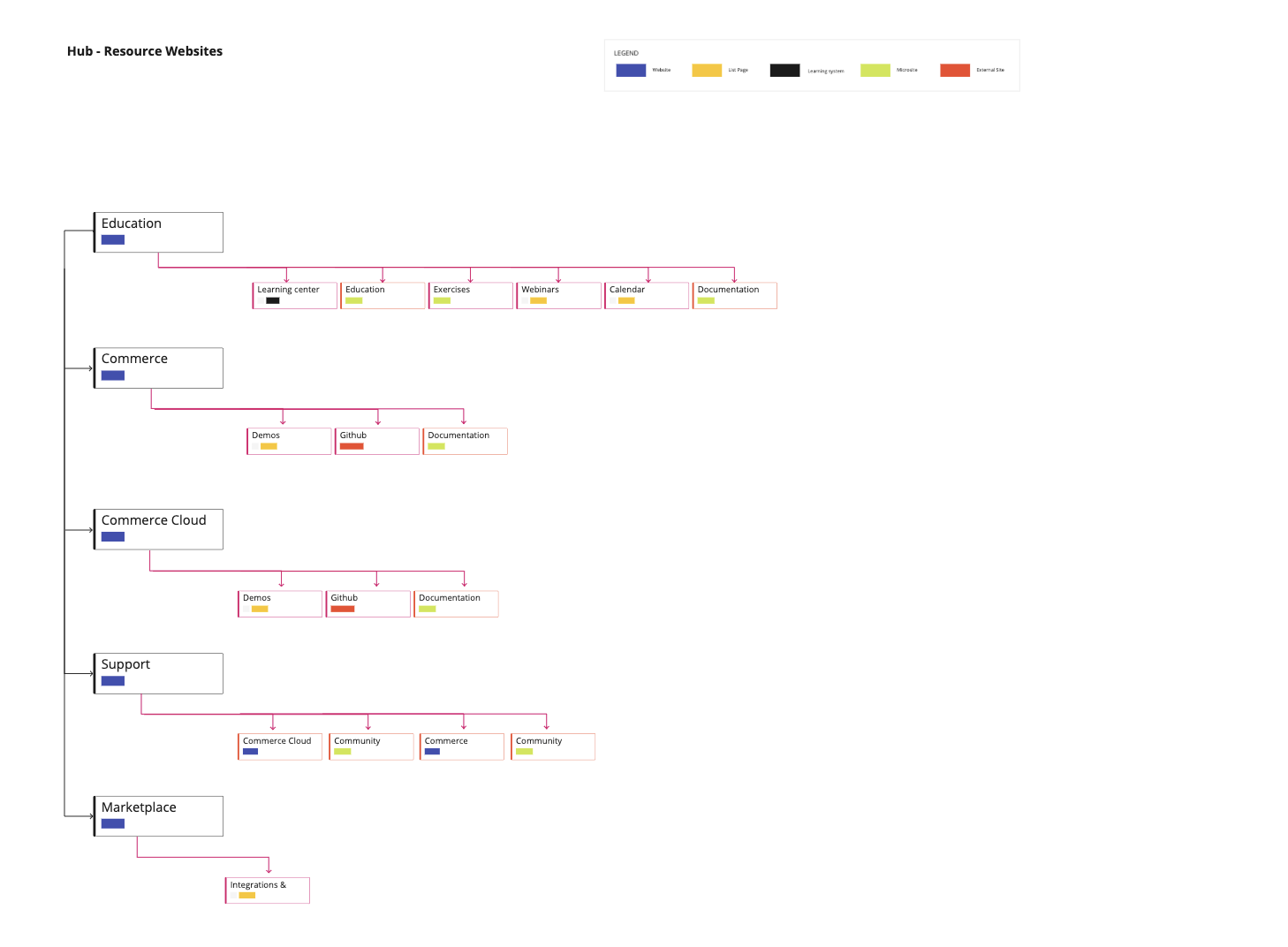
Hub Sites - Documentation, Support, Education, Commerce Cloud documentation, Commerce documentation, and Marketplace
By analyzed the legacy site navigation usage and the heat map (Google Analytics and Hot Jar), I proposed the new navigation structure as followed. This drove the structure of the new Elastic Path Documentation, Support, Education, Documentation - Commerce Cloud, Documentation - Commerce, and Marketplace.
Wireframes
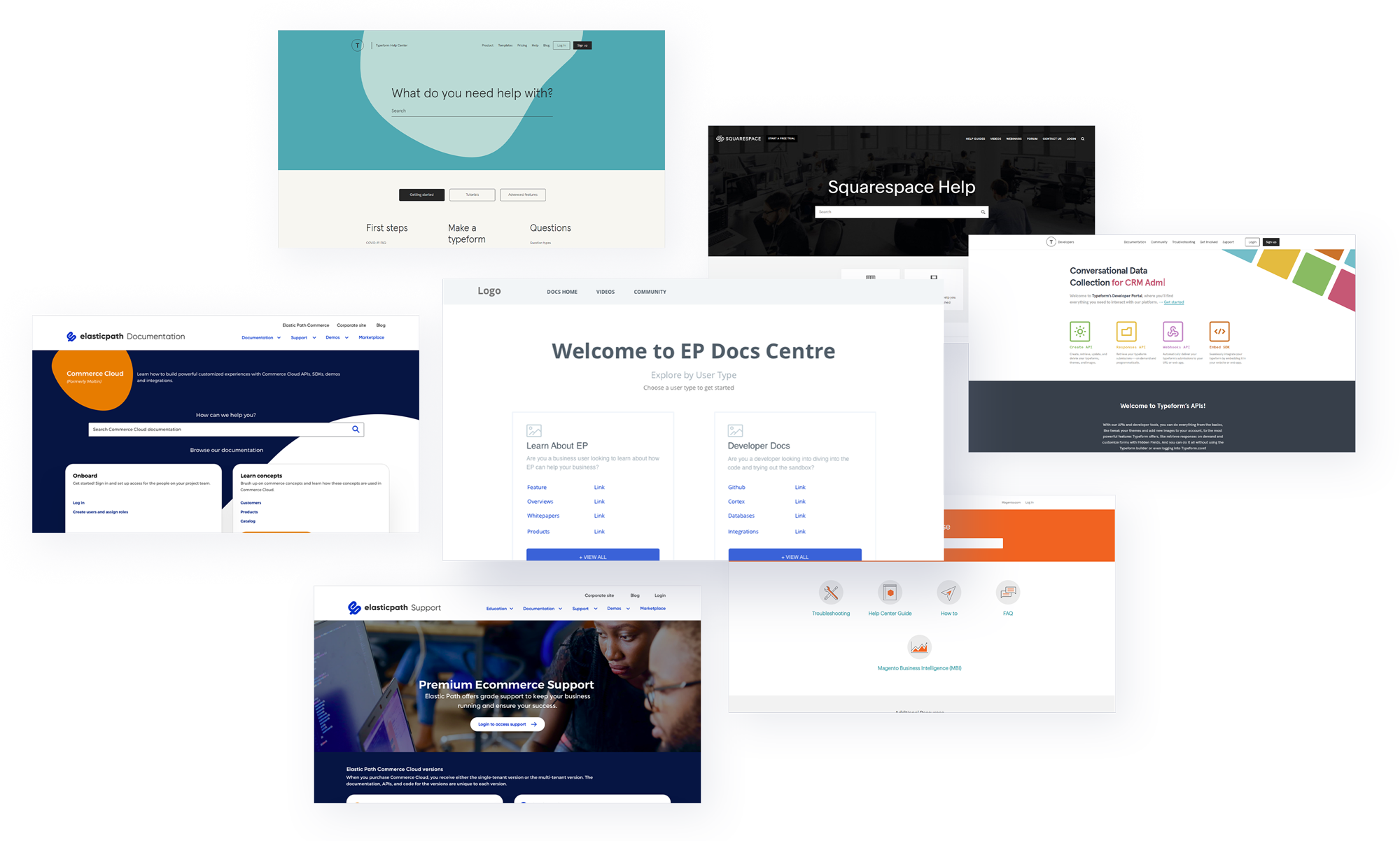
Refinements and Competitive Analysis
UI Kit - View Styleguide
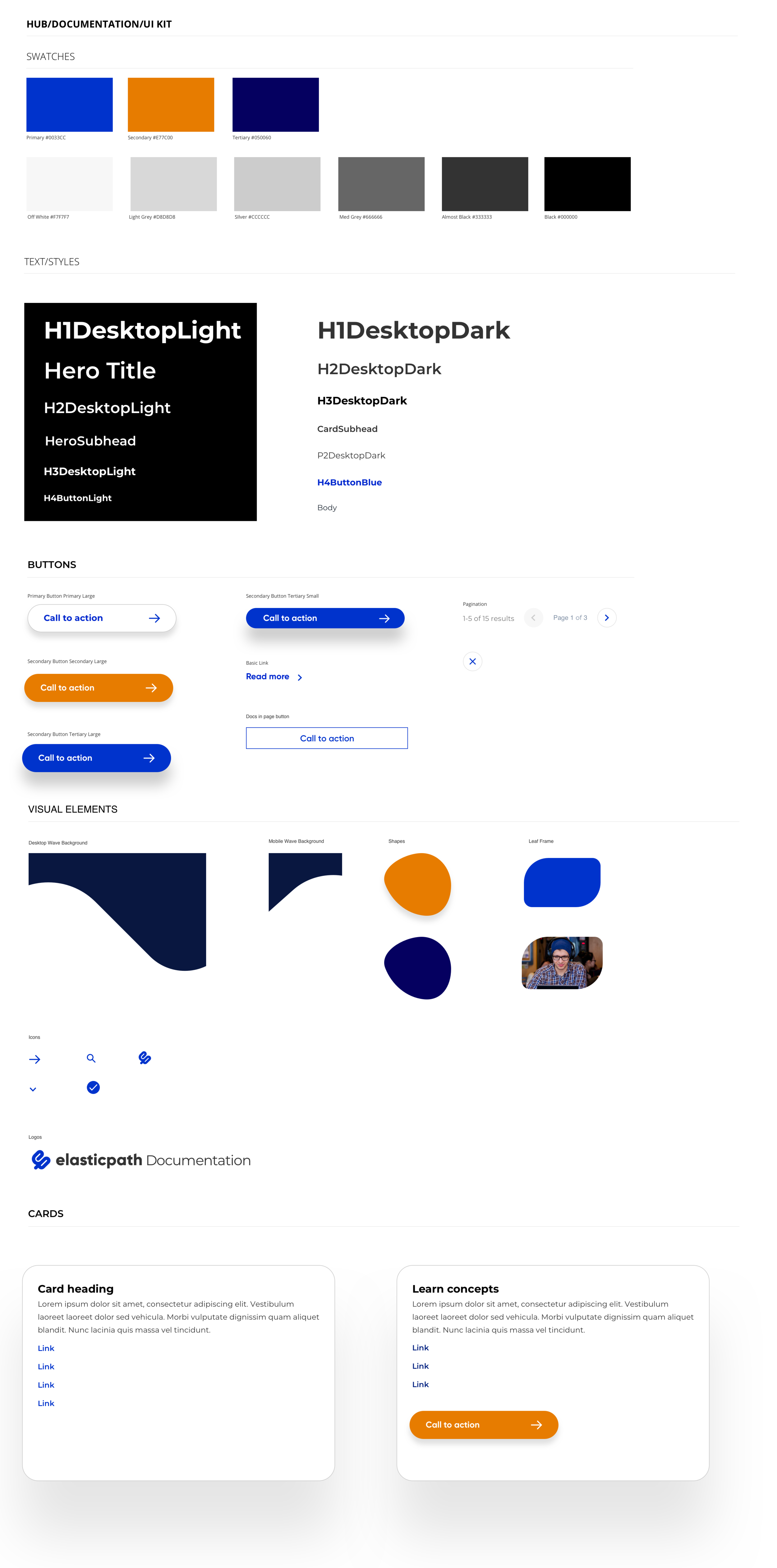
The following showcased my wireframes and Iterations that I conducted for the hub design, as well as analysis from other cases, for samples, Typeform, Squarespace, and Magento’s Help centers and Documentations.
Testing the Design with Developers
After the initial clickable prototype was created, I facilitated testing workshops for our internal and external users of Elastic Path documentation.
Scenarios were made such as: how user react to the Integrate Current Documentation for Single Tenant (ST) with Multi-tenant Documentation.
Here is link to one of the testing prototype: https://invis.io/9QWE51SWXT7#/409121965_EP_Hub-Docs-Landing_page_modal_2-0
I measured the following:
Effectiveness: Did the users achieve their goals?
Ways to Measure: errors rates, quality of completion, and accuracy
Efficiency: How much energy did it take for users to get there?
Time to task completion
Satisfaction: What are the users’ attitudes toward the system?
Scenarios were made such as: how user react to the Integrate Current Documentation for Single Tenant (ST) with Multi-tenant Documentation.
Here is link to one of the testing prototype: https://invis.io/9QWE51SWXT7#/409121965_EP_Hub-Docs-Landing_page_modal_2-0
I measured the following:
Effectiveness: Did the users achieve their goals?
Ways to Measure: errors rates, quality of completion, and accuracy
Efficiency: How much energy did it take for users to get there?
Time to task completion
Satisfaction: What are the users’ attitudes toward the system?
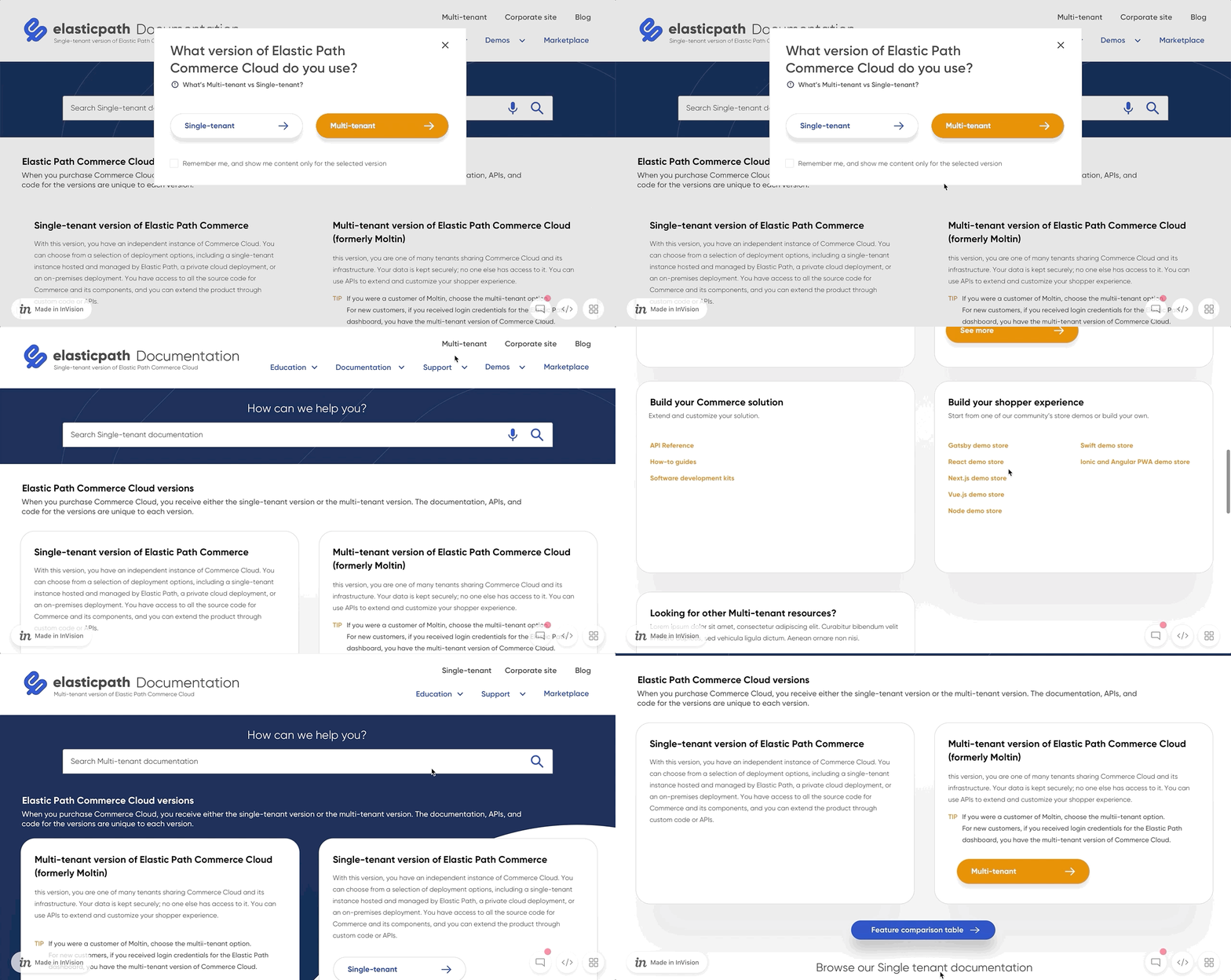
Insights/Recommendations based on User Test
Remove modal and instead include a temporary page on user navigation to documentation with verbose explanations of Multi-tenant and Single-tenant (what Jennifer provided was very clear and can be used) for first time user that can be accessed later
Increase type size for card body text to 14px min
Have Multi-tenant and Single-tenant info available from front page but hidden until user requests it if they have already selected MT or ST documentation sites
Include a text explanation for links in card collections (in page or hover)
Include a card that takes the user to Multi-tenant support and education with brief descriptions of each
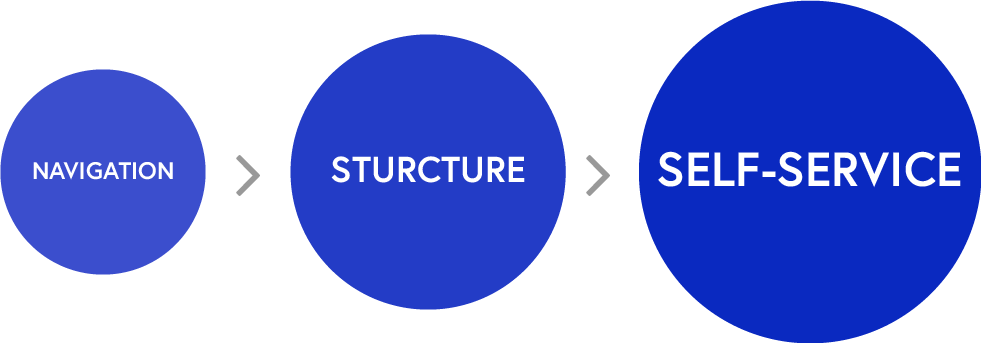
Elastic Path Documentation Updates
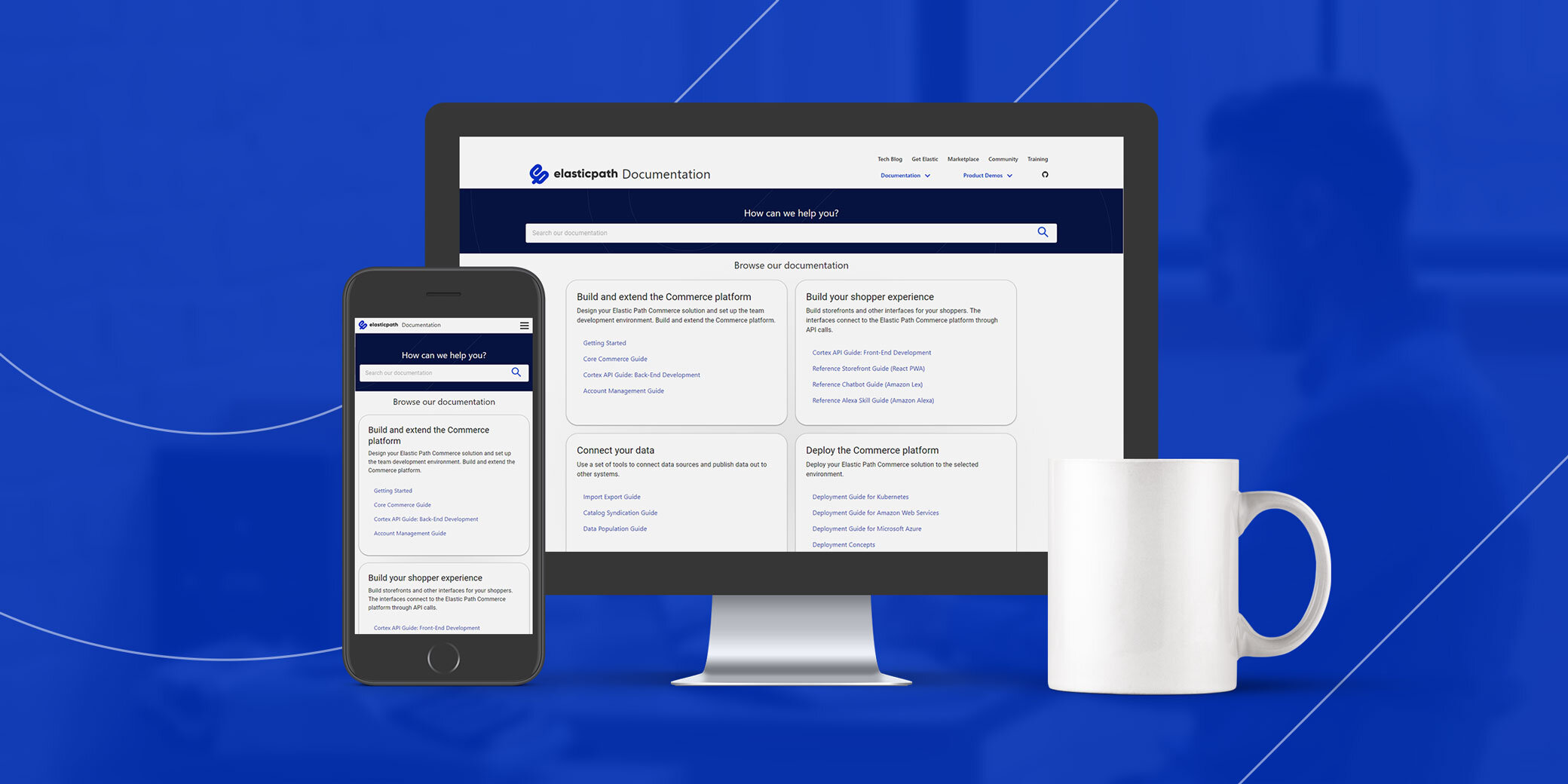
Stylistically, Elastic Path did a re-brand and the past Documentation site was out of date visually. The design used the brand guide logo, colours, and buttons. Those created an extended version of that UI suited for the resource sites. Below showcased the search feature base on the Elastic path’s user habits, and updated navigation for linking all the resources sites.
Create Curated Documentation
Global header was implemented that allows users to navigate between microsites and key resources (blogs, Integration Marketplace, Community forums, and Training/Education).
Unified footer with links to key corporate and marketing information on Elastic Path corporate site and access support
Documentation pull outs were placed under the search by the landing page for first time users to read though the collections gathered during user research stage for their pain points.
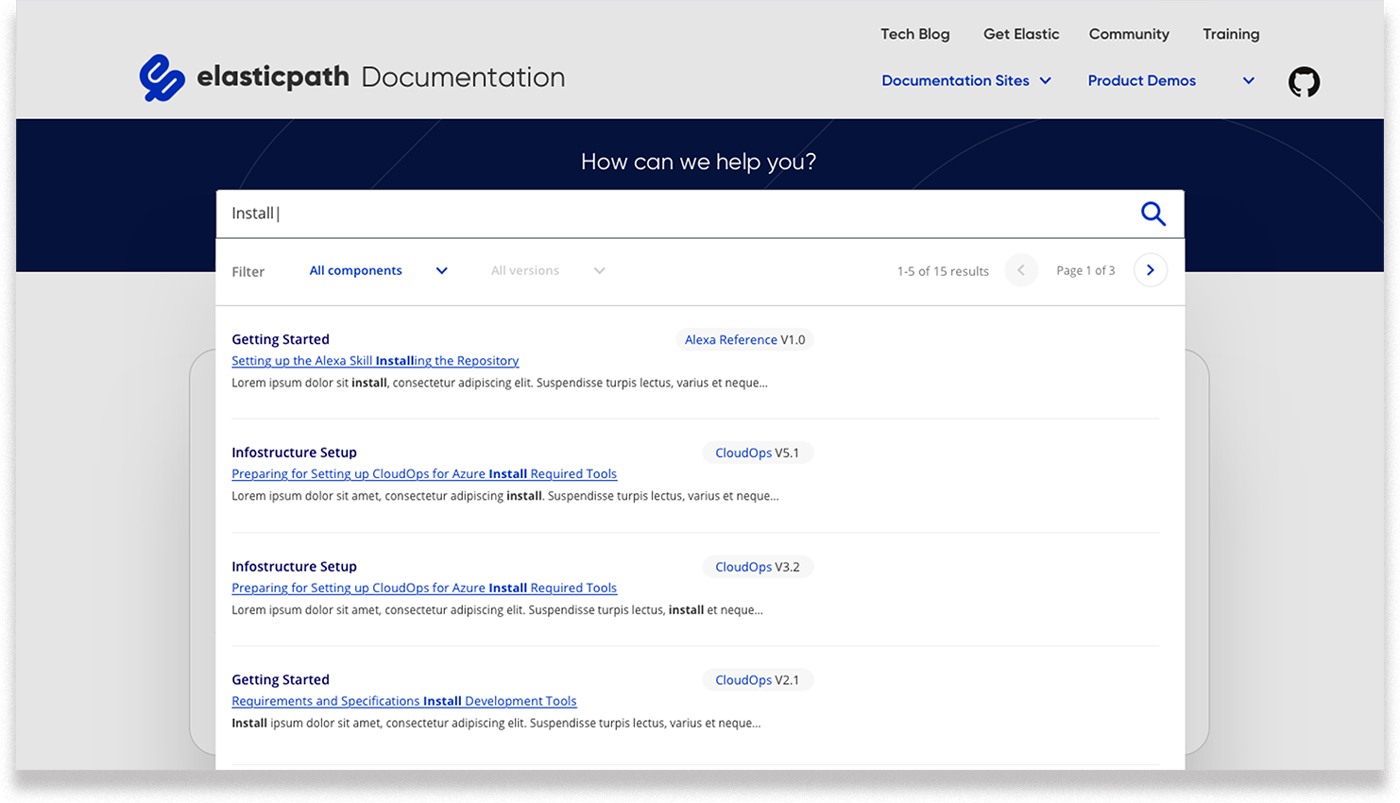
Showing facilitated searching experience.
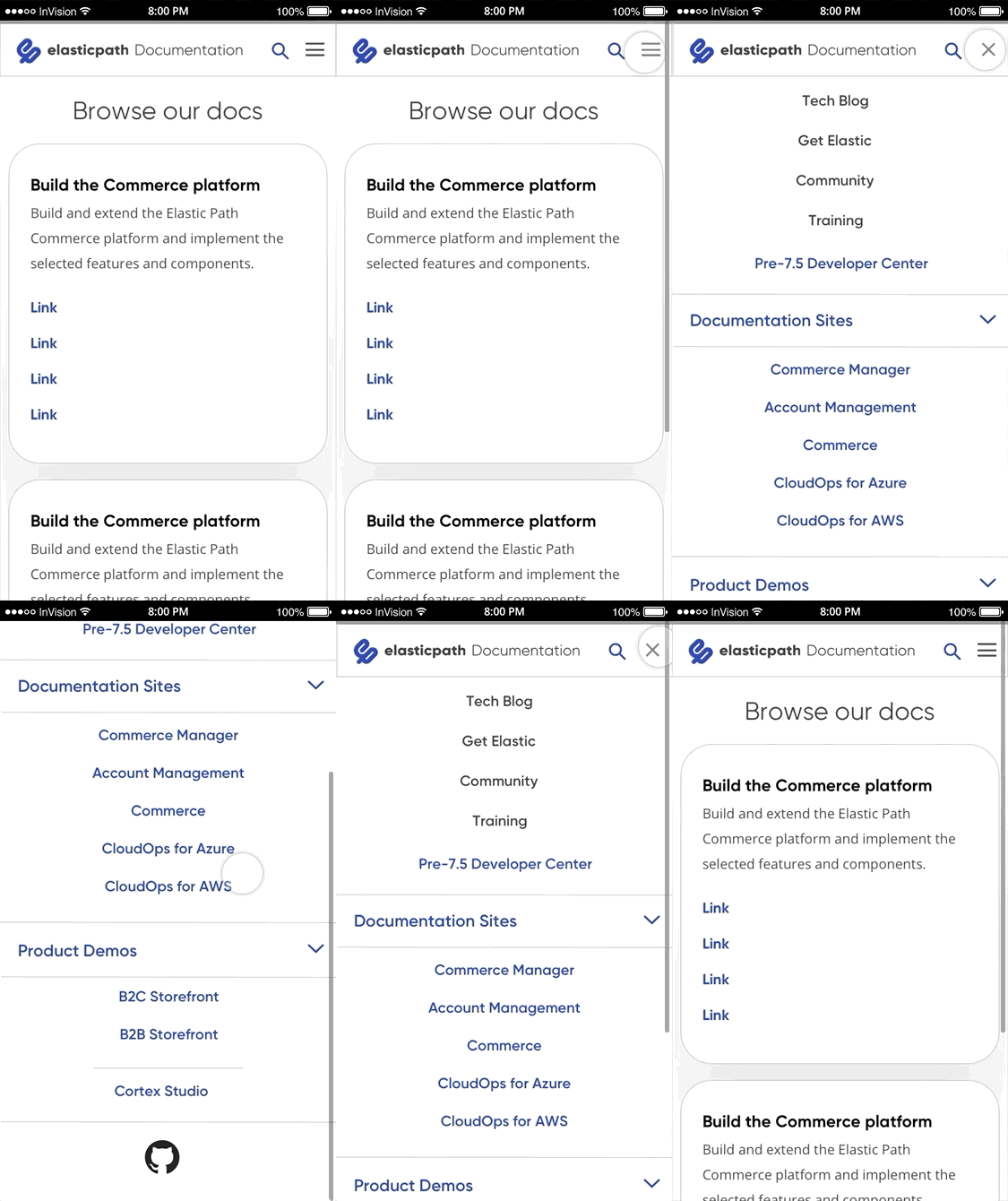
Mobile navigation designed for the ease of use.
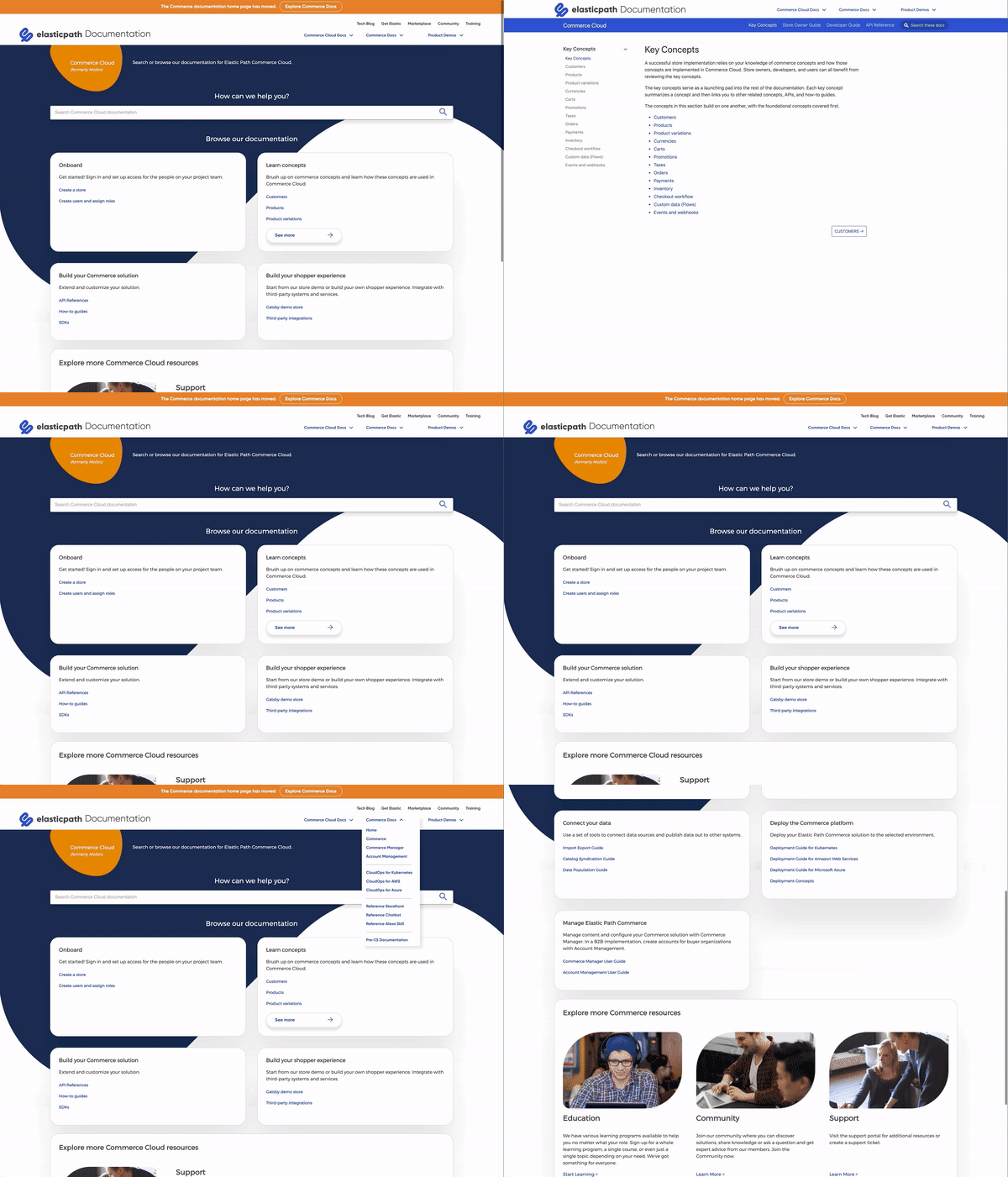
The welcoming page of Document Hub, Showing flow to Elastic Path Concept documentation

Showing the filter option in mobile screen within search